If you are asked by a staff member while troubleshooting a public thread to provide sensitive details (such as WordPress admin or FTP credentials), you can safely open a private discussion.
Please follow this step-by-step guide to do so securely:
🛠️ 4-Step Instructions:
Step 1: Account and Subscription Verification
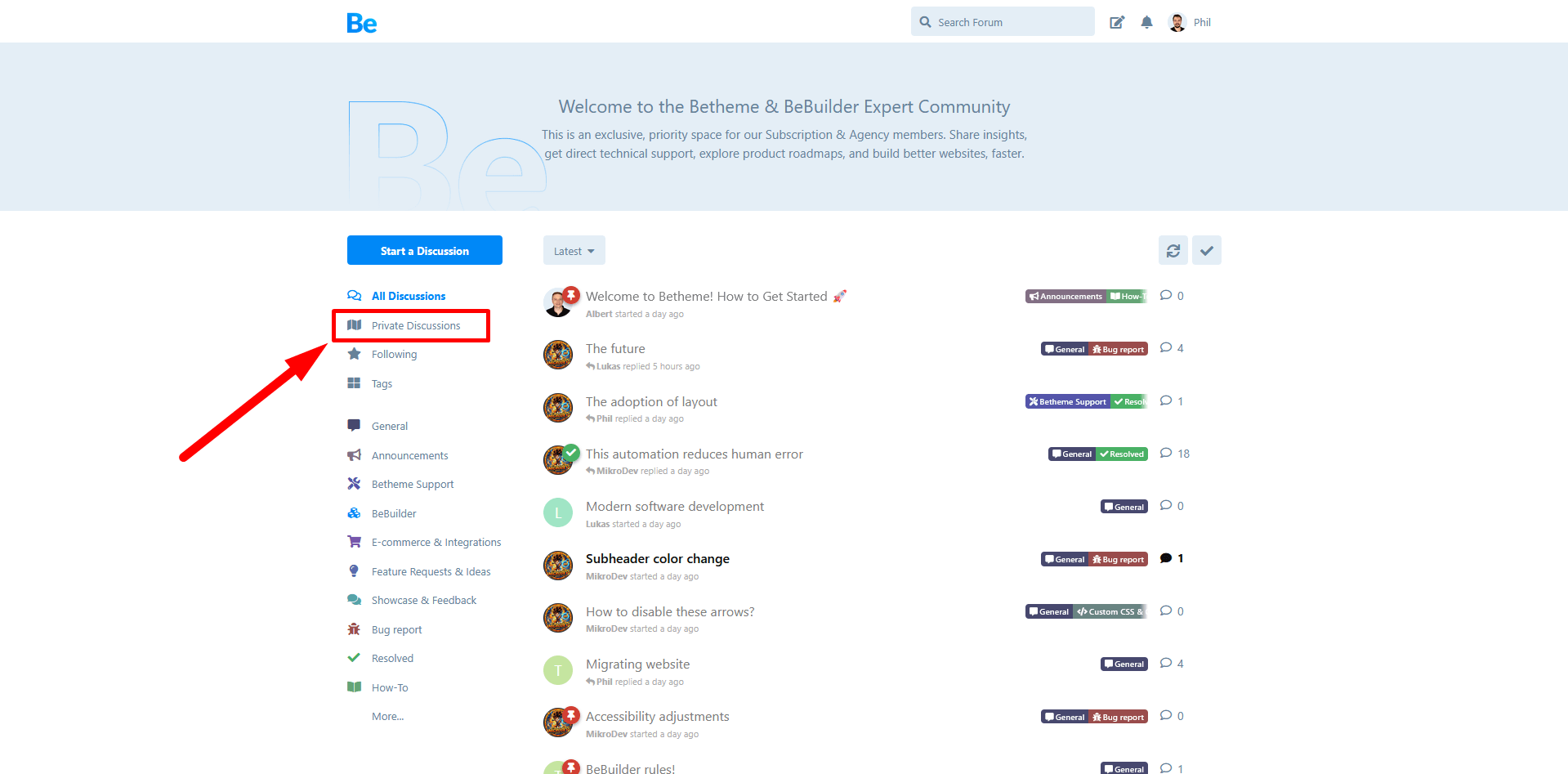
Before you begin, ensure you are logged in to the forum and have an active Betheme subscription. If these two requirements are not met, the system will not allow you to open a private channel. If your account is fully verified, navigate to the "Private Discussions" tab located in the menu on the left side of your screen.
Step 2: Initiating a New Private Thread
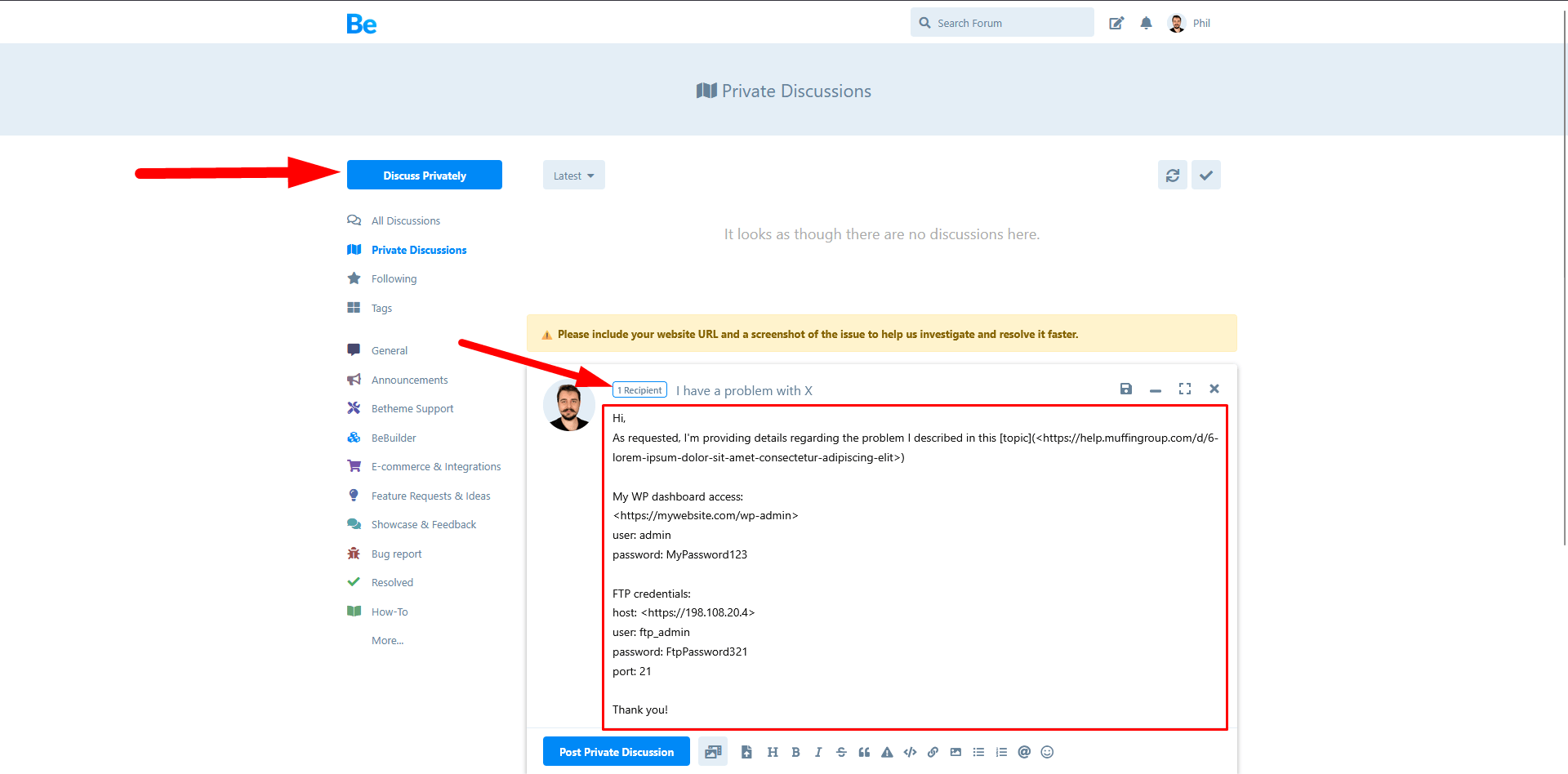
Once you are inside the private discussions section, click the blue "Discuss Privately" button found in the top-left corner of the page.
Step 3: Selecting the Recipient (Muffin Group Staff)
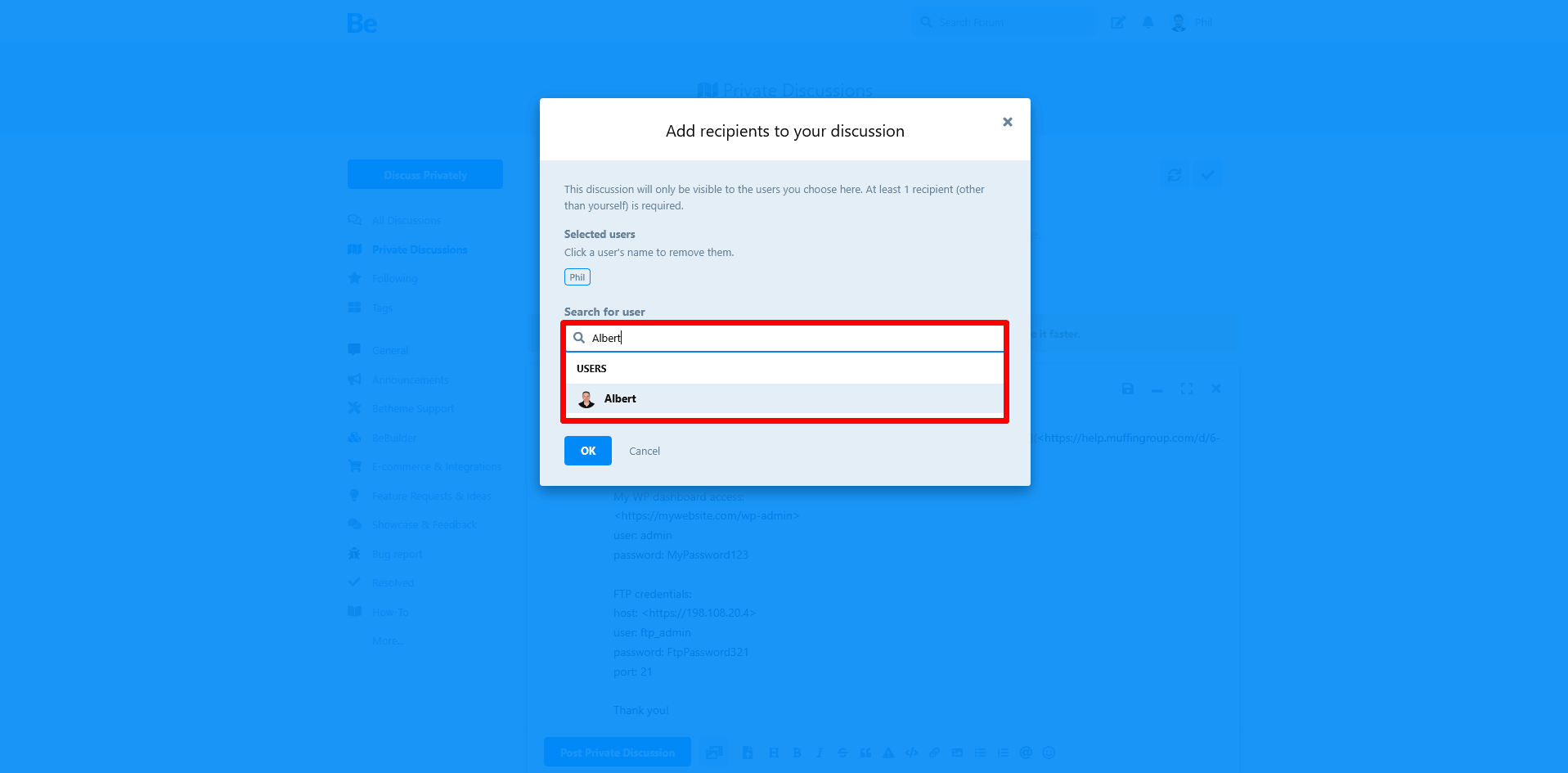
In the creation window, you need to designate the staff member you want to reach. In the recipient field, begin typing the nickname of our team member (e.g., Phil). The system will automatically suggest the correct profile—click it to add them to your secure conversation.
Step 4: Safely Sending Your Details
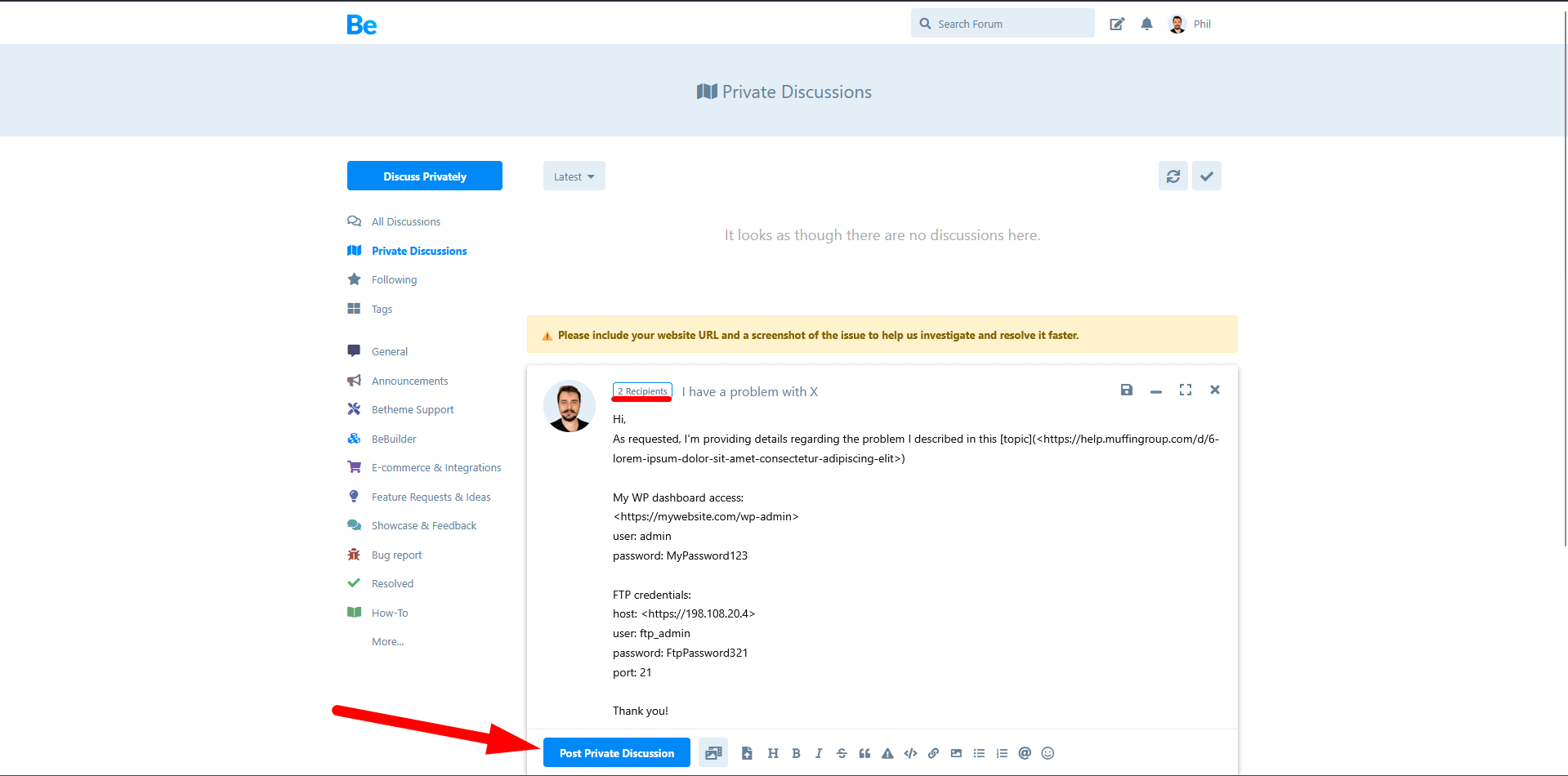
In the large text area below the recipient list, describe your issue and include the requested credentials. It is completely safe to share sensitive data such as wp-admin, database, or FTP access here. This private discussion is fully isolated and secure; absolutely no one except you and the chosen Muffin Group staff member has access to it.
⚠️ IMPORTANT NOTICE – PLEASE READ BEFORE SENDING
Please DO NOT start a private discussion with our staff unless you have been explicitly asked to do so by a team member within your public topic.
All technical issues are handled publicly first, ensuring other community members can also benefit from the solutions. Unsolicited private messages will be ignored or closed.
